
Mark Out A Cricket Ground In Seconds.
CrickMark.AR uses your phone's camera to lay a full pitch, inner circle and boundary onto the real ground — perfectly measured, at any size you choose, with no tapes, ropes or guesswork.
How it works
Point, Tap, Play.
No setup, no equipment. The app does the measuring while you watch through your camera.
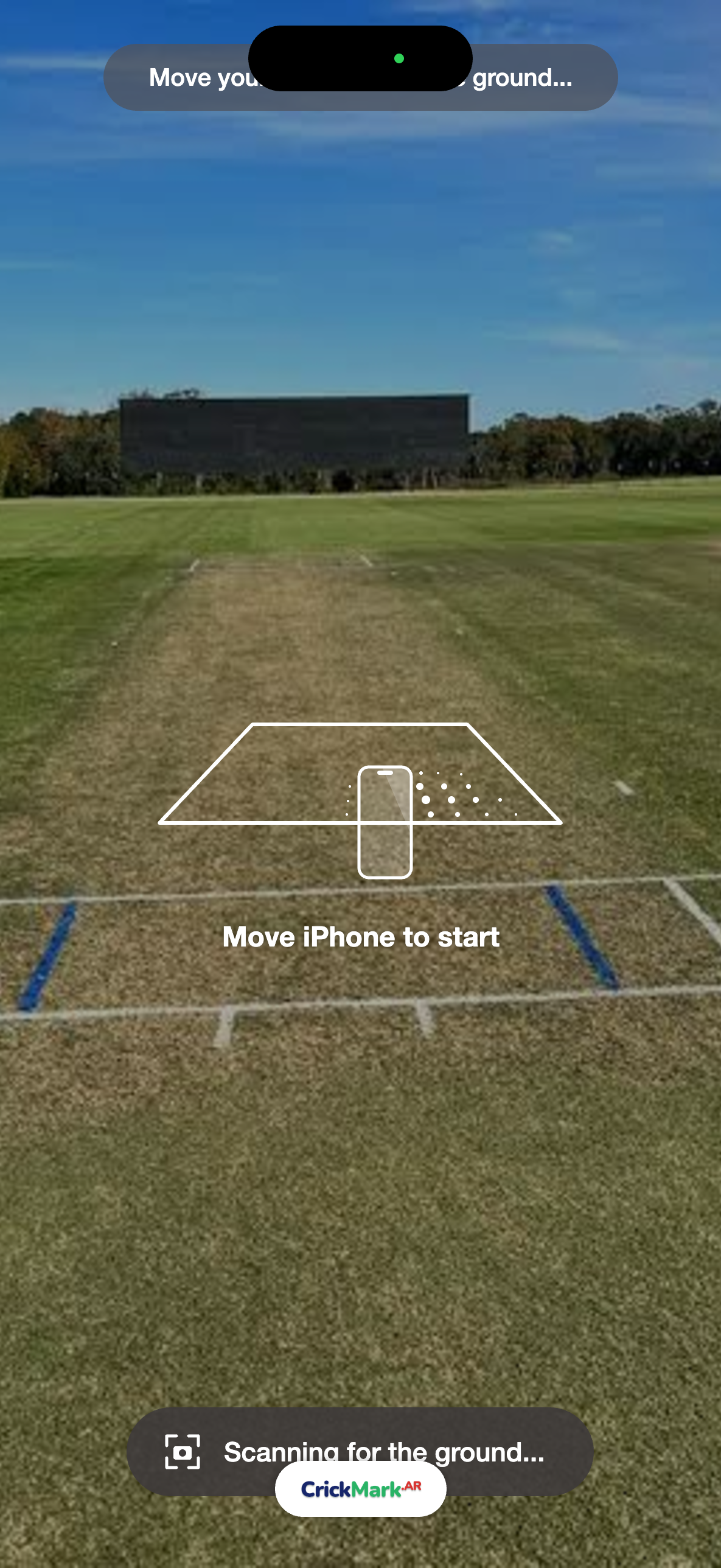
Scan the ground
Move your phone to let it find the floor — grass, turf or concrete.
Tap to place
Tap once to drop a full, true-to-scale cricket ground exactly where you're looking.
Adjust & lock
Nudge it with the joystick, line it up on the rotation dial (down to 0.1°), then lock it in place.
Place your cones
Set how many cones you have, and the app spaces them evenly for you.
Why it's better
CrickMark.AR vs. Measuring By Hand.
Turn a slow, multi-person chore into a job just one person can do — exact every time.
CrickMark.AR
- ✓Full ground in seconds, by just one person
- ✓Freely adjustable pitch, circle & boundary sizes
- ✓Adjustable cone count & even spacing
- ✓Resize or reshape instantly — no re-measuring
- ✓Just a phone — preview before you commit
By hand
- ✗30–60 minutes and 2–3 people
- ✗Tape sag & pacing errors, lopsided circles
- ✗Guess the cones — run short or overbuy
- ✗Any change means starting over
- ✗Tapes, ropes, wheels, marking paint
Features
Everything A Coach Needs.
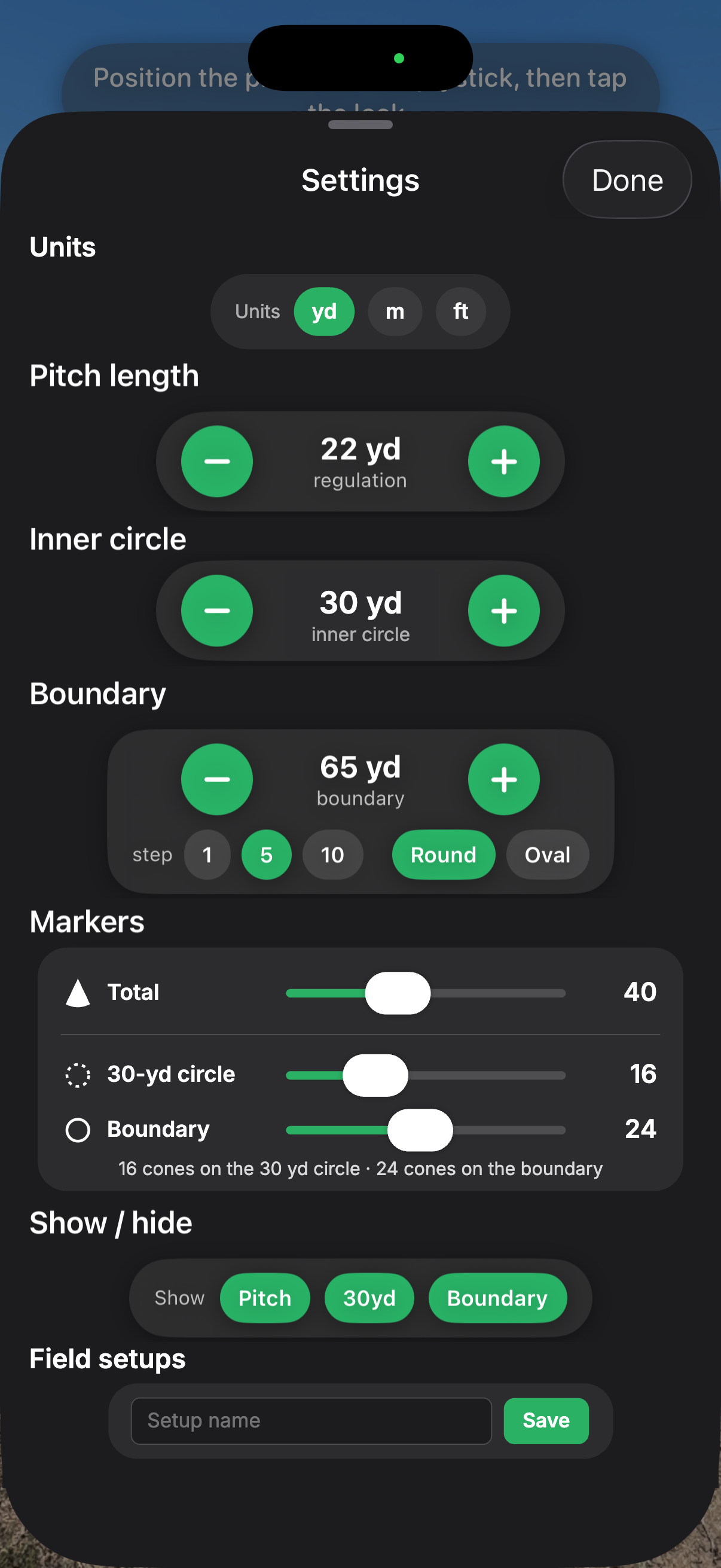
Real cricket dimensions by default — and every measurement is freely adjustable to fit your ground.
Regulation accurate
True-to-scale pitch, wickets and creases, with an inner circle and boundary set to any size you need.
Freely adjustable measurements
No fixed presets. Drag or type any pitch length, inner-circle radius and boundary distance (round or oval) to fit any ground or age group.
Cone planner
Enter your total cones — it splits them between circle and boundary so spacing matches on both.
Stays put
Lock it to the real world; it survives interruptions and stays anchored as you move.
Joystick control
Nudge the whole layout into position with an on-screen joystick, no walking back and forth.
Show only what you need
Toggle the pitch, circle and boundary independently for a clean view.
Saved field setups
Name and save your favourite layouts — U11, U15, senior — and load them in one tap.
Precise rotation
An arc dial to ±45° plus fine steps of 0.1° to line the pitch up exactly.
Virtual stumps
Life-size regulation wickets with bails at both ends — no kit required.
Who it’s for
One App, Every Kind Of Ground.
Whether it’s match day or a quick practice, anyone can mark out a ground in minutes, with no tapes and no extra helpers.
Coaches
Set up training grounds before players arrive, then resize the layout for each drill or age group.
Clubs & groundskeepers
Mark match-day boundaries quickly and consistently, then load the same setup every week.
Schools & junior leagues
Save a layout for each age group so every ground is the right size, every time.
Parks & casual games
Turn any open field into a proper ground, with virtual stumps if you don’t have your own.
A look inside
Clean, Simple, Made For The Field.
From scanning the ground to locking in a full pitch — here's the app in action.

Questions
Everything You Were Wondering.
Do I need any special equipment?+
Just your phone and some cones or markers. No measuring tapes, no ropes, no extra crew — the AR guides do the measuring for you.
Will it work on my ground?+
Yes. It works on any open surface — grass, turf, matting or concrete. Scan, tap, and the ground anchors to wherever you're standing.
How accurate is the layout?+
It uses real-world measurements for the pitch, inner circle and boundary, all adjustable to the exact sizes you set — match-ready, not eyeballed.
Can I set it up for different age groups?+
Absolutely. Set any pitch length, inner circle and boundary, in yards, metres or feet — then save it as a named field setup to load again next time.
What if I don't have stumps?+
Use the virtual AR stumps. They're perfect for practice, for grounds without equipment, and for playing anywhere.
Does it work on Android?+
Yes. CrickMark.AR is built for both iPhone and Android, so everyone at your club can use it on the phone they already have.
When does it launch?+
CrickMark.AR is coming to both iPhone and Android. Leave your email below and we'll send you a download link the moment it's live on the App Store and Google Play.
Be First On The Field.
CrickMark.AR is coming to iPhone and Android. Leave your email and we'll let you know the moment it launches.
No spam — just a single heads-up at launch.